System requirements
Glossary of Terms
How to use the program:
Beginners
(Please read)Output image settings (image size, resolution, alignment marks, type, arrangement)
How to use the program:
Image type
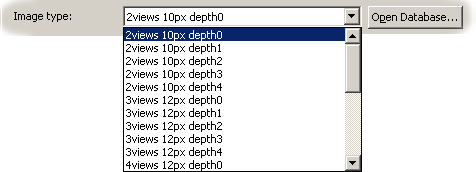
Before loading any image files, it is necessary to choose the item from Image type list. Click Open Database... to open dialogue Image Types Database:
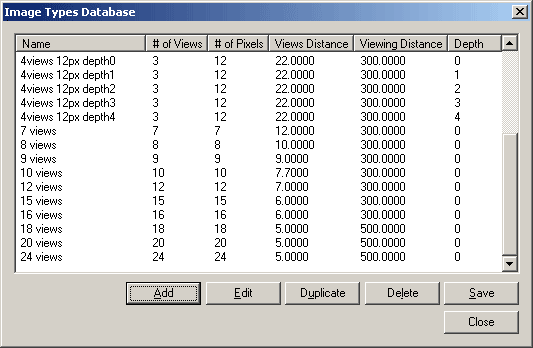
Here you can Add, Edit, Duplicate and Delete the items. Click Save to save your changes into database. Thus you can make Image type database for your projects.
Click Add and Edit to open the Edit dialogue. Here you set the following values:
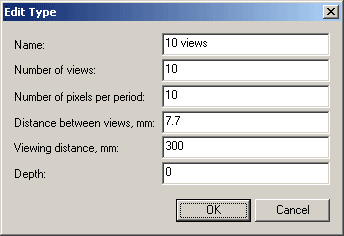
- Number of views must be an Integer Factor of Number of pixels per period.
- Number of pixels per period and Number of views must be divisible by the same number.
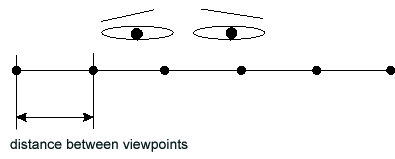
- Distance between views, mm
Distance between viewpoints
Distance between views is used for the 3D algorithm only. 3D algorithm changes the intensity inside the image strips such that the edges of each strip is more pale and their centres are brighter as in this example:
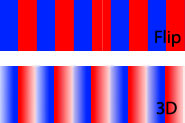
Distance between views allows the white patches to be create 3D images to minimise 3D ghosting.
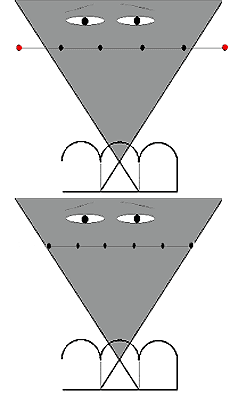
Change the Distance between views to changes the width of these patches. When Distance between views = 0 the patches are wider. Distance between views is set from 0 to maximal value (within the view area of lens).
If you enter to large a value, the program will correct the value to the maximal value:
Views is within the view area of lens
- About Depth. Look at the image:
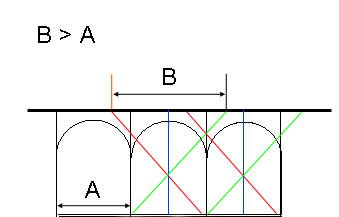
A is period of lenticular, B is period of image. Usually A=B. But we can make B>A. In this case the interlacing image looks so:
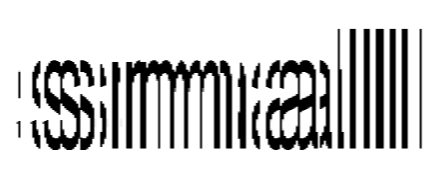
When Depth = 0, B = A
When Depth = 1, B = 2*A (It is good for small details.)It is best to set Depth = 0 for 3D image, morph, zoom, animation.
Best to set Depth = 1 for two-flip image, it smooths the fine detailes, but adds some blurring.
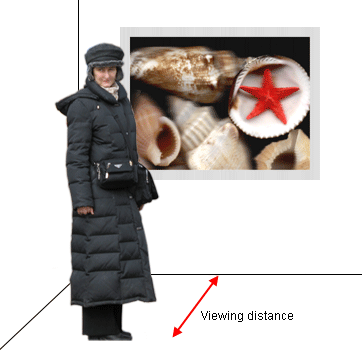
- Viewing distance, mm is very important value for Parallax correction.